Insights Timeline

Stay up to date with our latest announcements, tech articles, industry tips, and strategic updates.

November 2026

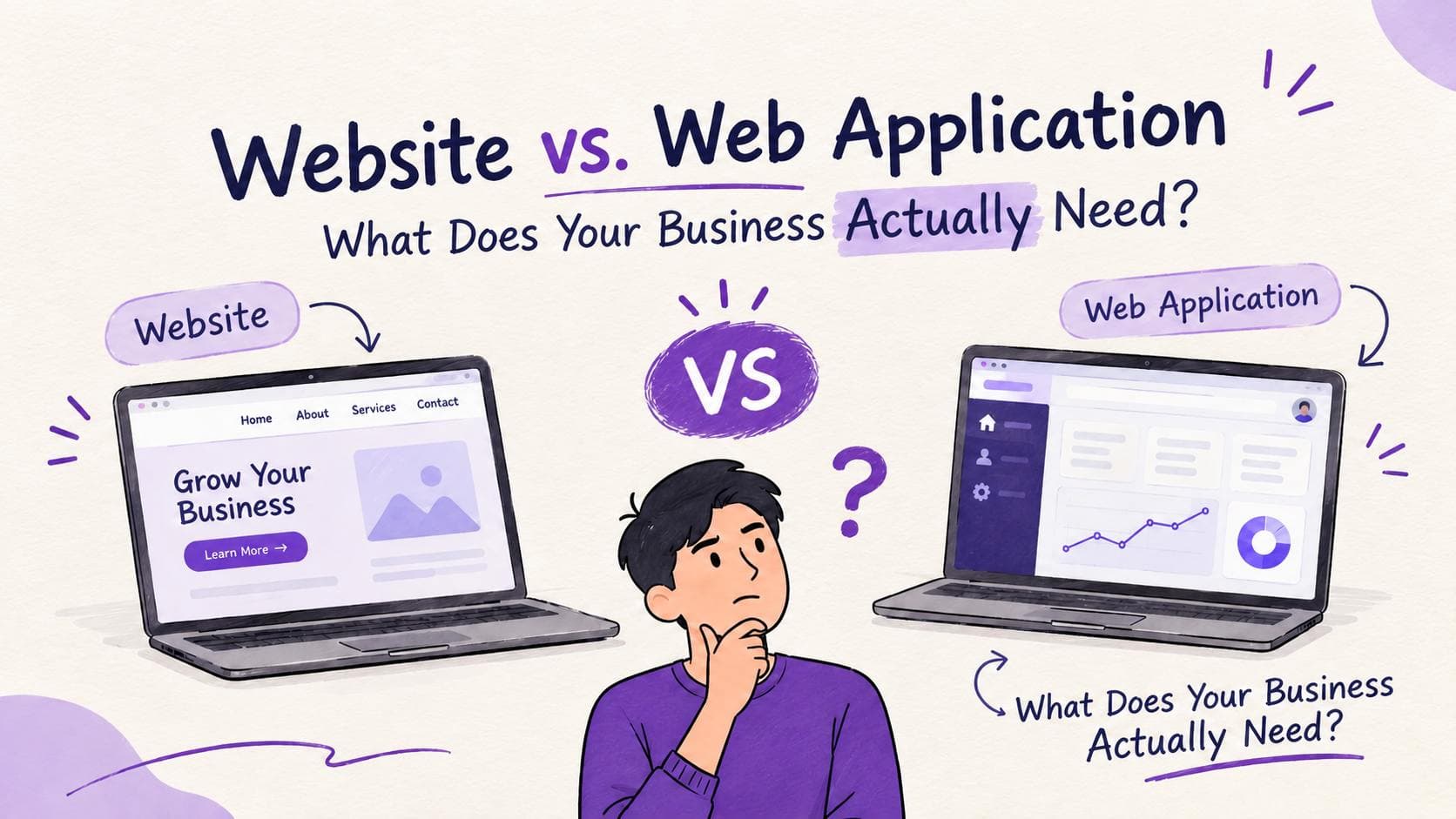
Website vs. Web Application: What Does Your Business Actually Need?
Web Development
5 min

Website vs. Web Application: What Does Your Business Actually Need?

Introduction In a digital-first market, customers often search online before deciding which business to contact. They want to understand what a company offers, compare options and find a convenient way to get in touch. At the same time, businesses are looking for better ways to manage enquiries, organize information and deliver services. This is where choosing the right digital solution becomes important. If you are planning to invest in technology, you may be asking: should your business build a website or a web application? The terms are sometimes used interchangeably, but they are not exactly the same. Understanding the purpose of each can help you make a practical decision based on your goals, customers and daily operations. What Is a Website? A website is a collection of connected web pages that people can access through a browser. For most businesses, its main purpose is to introduce the company, explain its products or services, share useful information and encourage visitors to take the next step. A typical business website may include a homepage, About Us page, service or product pages, portfolio, blog and contact details. For example, an education consultancy can use its website to explain available courses, share admission updates, introduce its team and provide enquiry details. A visitor can browse the information, call the office or submit an enquiry form. A well-planned website gives a business a consistent online presence. It can help potential customers find accurate information, understand what makes the business different and build confidence before making contact. With relevant content, a clear site structure and good technical performance, a website can also support search engine visibility. Websites are not limited to static pages. They can include forms, chat tools, maps, appointment requests and other interactive features. The important point is that these features support the website's main purpose of informing visitors and helping them connect with the business. What Is a Web Application? A web application is software that people use through a web browser. Instead of only reading information, users can sign in, enter or update data, complete tasks and receive results. Web applications are usually designed around a particular service, process or business requirement. Common examples include customer portals, online booking platforms, student management systems, inventory systems, project management tools and customer relationship management (CRM) systems. Depending on the purpose, a web application may include user accounts, dashboards, databases, notifications, payment features and connections with other software. For example, an education consultancy could use a student management web application to register applicants, store documents, track application progress and manage communication. Staff members could manage student records through a secure dashboard, while students could log in to check updates or submit required information. A web application can reduce repetitive manual work and make information easier to organize. However, its development may require more planning because the system needs to handle user roles, data, workflows, security and ongoing maintenance. Website vs. Web Application: Key Differences The main difference is the purpose and level of interaction. A traditional website is primarily designed to present information, while a web application enables users to perform tasks and work with data. The distinction is not absolute: modern websites can include interactive features, and web applications often contain informational pages. Which One Does Your Business Need? The right choice depends on what you want technology to achieve. Start by identifying the problem you need to solve rather than choosing a technology simply because it is popular. Choose a Website If... Your main goal is to establish an online presence, explain your services, showcase your work, publish updates and receive enquiries. A website is often a practical starting point for small businesses, service providers, consultancies and organizations that want customers to find reliable information about them online. It may be the right option if customers mainly need to learn about your business before contacting you, or if you want to improve visibility through search engines. A well-structured website can also act as the central destination for visitors coming from social media, online advertisements, email campaigns and search results. Consider a Web Application If... Your business needs customers or employees to log in, manage records, make bookings, track requests, process transactions or complete a sequence of tasks online. A web application may be useful when your team relies on spreadsheets, paper forms or disconnected tools to manage important processes. For instance, a service business that handles many appointments may benefit from a booking system. A company managing stock across several locations may need an inventory application. An education consultancy that handles a high volume of student applications may need a portal to organize documents and application updates. Questions to Ask Before Making a Decision Before investing in development, consider a few practical questions: What should the digital solution help the business achieve? Who will use it: customers, employees, administrators or all three? Do users only need to view information, or must they complete tasks? Will the system store personal, financial or business-critical data? Does it need to connect with existing software or payment services? What is the available budget for development, hosting, security and maintenance? Which features are essential now, and which can be added later? Answering these questions helps define the scope of the project. It can also prevent unnecessary features from increasing development time and cost. A clear requirements plan makes it easier to select a solution that is useful today and adaptable as the business grows. Can Your Business Have Both? Yes. A business can use a website to attract and inform visitors, alongside a web application that supports customers or employees after they take action. These solutions can work together when there is a clear need. For example, an education consultancy could use its website to publish course details, explain its services and receive enquiries. A connected student portal could allow registered students to submit documents, view application progress and receive important updates. The public website helps people discover the consultancy, while the application supports specific tasks after they become users. The two systems may be integrated so information can move between them, but they do not always need to be built at the same time. A business can begin with the most important requirement and expand its digital setup when its needs become clearer. Why Planning and Maintenance Matter Choosing between a website and a web application is only one part of a successful digital project. The solution also needs to be easy to use, secure, reliable and suitable for the people who will depend on it. Mobile responsiveness, page speed, accessible design, data protection, backups and regular updates should be considered during planning. Remember that development is not a one-time activity. Websites need content updates and technical maintenance. Web applications may also need security reviews, bug fixes, performance improvements and feature updates as business processes change. Planning for ongoing support helps protect the value of your investment. Final Thoughts A website helps people discover your business, understand what you offer and get in touch. A web application helps users interact with a service, manage information or complete specific tasks online. Neither option is automatically better; the right choice depends on the problem you need to solve and the experience you want to provide. Before starting a project, define your goals, understand your users and identify the features that will make a real difference. You may need a professional business website, a custom web application or a combination of both. Start with what your business needs now, while keeping future growth in mind. At Shakta Technology, we believe effective digital solutions begin with understanding business requirements. Whether you are planning a professional website or a custom web application, our team can help you explore an approach that fits your goals. Get in touch with https://shaktatechnology.com/ to discuss the right digital solution for your business.

Read Article
10 Proven Digital Marketing Strategies to Grow Your Startup Business
Digital Marketing
5 min

10 Proven Digital Marketing Strategies to Grow Your Startup Business

Introduction Starting a business is exciting, but reaching the right customers can be challenging. A great product or service is not enough if people cannot find your business online. This is where digital marketing becomes important. It helps startups build visibility, connect with potential customers and compete with established brands without requiring a large marketing budget. The key is not to use every platform at once. Instead, choose strategies that match your audience, business goals and available resources. Here are ten practical digital marketing strategies that can help your startup build a strong online presence and grow steadily. 1. Build a Professional, User-Friendly Website Your website is often the first place potential customers visit to learn about your startup. Make sure it clearly explains what you offer, who you help and why customers should choose you. Use simple navigation, clear service descriptions, fast-loading pages and contact information that is easy to find. Your website should also work smoothly on mobile devices. Include useful calls to action, such as “Get a Quote,” “Book a Consultation” or “Contact Us.” A professional website builds credibility and gives your other marketing activities a place to direct interested visitors. 2. Invest in Search Engine Optimization (SEO) Search engine optimization helps your website appear when people search online for products, services or solutions related to your business. Start by researching keywords your potential customers are likely to use. Include relevant phrases naturally in page titles, headings, service pages and blog articles. Also improve page speed, mobile usability, internal links and image descriptions. If your startup serves a specific area, create or improve your Google Business Profile and keep its details accurate. SEO takes time, but consistent work can bring relevant visitors without paying for every click. 3. Use Content Marketing to Educate Your Audience Content marketing means creating helpful information that answers your audience’s questions. This can include blog posts, guides, short videos, infographics and frequently asked questions. For example, a web development startup could publish an article explaining what businesses should consider before building a website. Focus on solving real customer problems rather than promoting your services in every post. Useful content can attract people through search engines, demonstrate your knowledge and help potential customers feel more confident about contacting you. 4. Build an Active Social Media Presence Choose social media platforms based on where your target customers spend their time. You do not need to be active everywhere. Create a consistent posting schedule and share a mix of educational tips, behind-the-scenes moments, customer stories, product updates and interactive questions. Use a recognisable visual style and respond to comments and messages. Social media is not only a place to publish content; it is an opportunity to listen to your audience, understand their needs and build relationships over time. 5. Use Email Marketing to Build Relationships Email marketing allows you to communicate directly with people who have shown interest in your business. Offer something useful, such as a checklist, guide or newsletter, in exchange for an email subscription. Then send relevant updates, practical advice, product news and occasional offers. Keep messages clear and useful instead of sending frequent sales messages. Segment your subscribers when possible so that people receive information suited to their interests. Always use permission-based email lists and provide an easy way to unsubscribe. 6. Create Short-Form Video Content Short videos on platforms such as Instagram Reels, TikTok and YouTube Shorts can introduce your startup to new audiences. You can demonstrate how a product works, answer common questions, share quick tips or show the process behind your service. Start with a strong opening line, focus on one idea and add captions so viewers can follow without sound. You do not need expensive equipment; clear visuals, useful information and consistency matter more than complicated production. 7. Build Trust Through Customer Reviews and Testimonials People often look for proof before choosing a new business. Encourage satisfied customers to share honest reviews on relevant platforms, and ask permission before using their feedback in marketing materials. Display testimonials, case studies or examples of completed work on your website and social media. Respond professionally to reviews, including negative ones. A thoughtful response shows that your startup takes customer feedback seriously. Never create fake reviews or make claims you cannot support, because trust is difficult to rebuild once lost. 8. Use Paid Advertising Strategically Paid advertising on platforms such as Google Ads and Meta can help a startup reach a specific audience more quickly. Before spending money, define the campaign goal: website visits, enquiries, purchases or brand awareness. Create a clear message and direct people to a relevant landing page. Begin with a manageable budget, test different creatives and audiences, and monitor results. Track meaningful measures such as cost per lead and conversions, not just likes or impressions. Pause campaigns that are not performing and use the data to improve future ads. 9. Collaborate With Relevant Creators and Businesses Partnerships can introduce your startup to people who may not have discovered it otherwise. Work with creators, complementary businesses, industry communities or local organisations whose audiences overlap with yours. A collaboration could be a joint live session, a useful co-created guide, a product demonstration or a referral arrangement. Choose partners based on relevance and credibility rather than follower count alone. Agree on the purpose and expected outcome before starting. 10. Track Performance and Improve Continuously Digital marketing works best when decisions are based on evidence. Use tools such as Google Analytics and platform insights to understand where visitors come from, which content attracts attention and what actions people take. Set a few clear key performance indicators (KPIs), such as qualified enquiries, website conversions, organic traffic or email sign-ups. Review results regularly and adjust your strategy. If a type of content performs well, explore why; if a campaign falls short, test a different message or audience. Conclusion Growing a startup online is not about being present on every platform or following every trend. It is about understanding your customers, communicating your value and choosing digital marketing activities that support your goals. Start with the essentials: a reliable website, useful content, SEO and consistent audience engagement. Then expand into email, video, partnerships and paid campaigns as your resources allow. Be patient, measure what matters and keep improving. With a focused and consistent approach, digital marketing can help your startup become more visible, earn customer trust and create opportunities for long-term growth.

Read Article

October 2026

Critical PHP Security Flaws in 2026: Is Your Website at Risk?
Cybersecurity
5 min

Critical PHP Security Flaws in 2026: Is Your Website at Risk?

Your website may look perfectly normal today. But is the software behind it protected against newly discovered security threats? On October 21, 2026, the PHP project released emergency updates for two critical vulnerabilities. Because PHP powers WordPress and many other websites and web applications, this is an important security notice for businesses, developers, and website owners. What Happened to PHP in October 2026? The two vulnerabilities, CVE-2026-109618 and CVE-2026-109619, affect the PHP runtime—the software that processes PHP code on a server. Both were rated 9.2 under CVSS v4.0 and may allow remote code execution without a user logging in. In practical terms, an attacker could potentially run malicious code on a vulnerable server. One issue involves memory handling when PHP runs out of memory; the other involves internal state that can remain after memory is released. These are flaws in PHP itself, not simply problems caused by a website theme or plugin. PHP released fixes in versions 8.5.12, 8.4.27, 8.3.36, and 8.2.35. Older, unsupported branches also need attention: a website still running PHP 8.1 or earlier should plan an upgrade to a supported version. Whether a particular website can be exploited depends on its deployment and configuration, but affected web-facing systems should be treated as a priority. Why Does This Matter for Businesses? Business websites often handle contact forms, customer accounts, online orders, and other sensitive information. If a server is compromised, the consequences could include service disruption, unauthorized changes, or exposure of information. The presence of a vulnerability does not mean a website has already been attacked, but it does mean administrators should act promptly. Which Websites Should Be Checked? Start with WordPress websites, PHP-based online stores, custom PHP or Laravel applications, and servers using PHP to process web requests. Do not assume a website is safe just because its design looks modern or its URL does not end in .php. Equally, not every website uses PHP: ask your developer or hosting provider if you are unsure. How to Check Your PHP Version For WordPress, go to Dashboard → Tools → Site Health → Info → Server and look for the PHP version. Many hosting control panels also display it. If you cannot find it, ask your hosting provider which PHP version is running and whether the October 21 security fixes have been applied. Some hosting vendors backport security fixes into their own packages, so a version number alone may not tell the full story. Ask for confirmation of the actual patch status. How to Protect Your Website Apply a Verified Security Update Apply a verified security update. Move to a fixed, supported PHP release or a vendor-confirmed patched package. Coordinate with your developer and test compatibility where possible, without unnecessarily delaying an urgent security fix. Back Up Your Website Back up your website. Keep a restorable copy of files and databases before making major changes. Update the Rest of Your Software Update the rest of your software. Maintain your CMS, themes, plugins, frameworks, and dependencies. These updates are important, but they do not replace the PHP runtime patch. Review Server Activity Review server activity. Check logs, unexpected file changes, unusual requests, and administrator-account activity for signs of compromise. Keep a Maintenance Routine Keep a maintenance routine. Regular security reviews help identify unsupported software and risky configurations before they become bigger problems. A firewall or security plugin can provide additional protection, but it is not a complete substitute for patching these PHP vulnerabilities. Frequently Asked Questions Can these vulnerabilities affect WordPress? Yes. WordPress uses PHP, so an issue in the PHP runtime may affect the server even when WordPress core and plugins are up to date. Does updating WordPress also update PHP? No. PHP is generally updated through your hosting provider or server administration tools. Is PHP still safe to use? Yes. PHP remains a widely used development language. Keeping it supported, patched, and properly configured is essential. Do all websites need to update PHP? Only websites and services using PHP need PHP-specific action. If you are unsure what your website runs on, confirm with your developer or host. Final Thoughts A professional-looking website is not necessarily a secure one. The October 2026 PHP security releases are a reminder that behind-the-scenes maintenance matters just as much as design and performance. At Shakta Technology, we believe business websites should be reliable, functional, and properly maintained. If you are unsure whether your website uses PHP or whether its security updates are current, consider arranging a professional website review. Explore Shakta Technology: https://shaktatechnology.com/ References PHP: Official October 2026 Security Announcements Google Cloud: Responding to Core PHP Vulnerabilities UK NCSC: Critical Security Issue Affecting PHP

Read Article
AI Agents vs. Chatbots: What’s the Real Difference?
AI & ML
5 min

AI Agents vs. Chatbots: What’s the Real Difference?

Ever typed a question into a website chat box and got an instant reply? That’s a chatbot. Now imagine the same chat box working out which service you need, checking a calendar and booking your meeting, with nobody on the team lifting a finger. That’s an AI agent. This guide explains the difference in plain English, shows how AI agents work, and gives you a simple way to start with business automation. THE SHORT ANSWER A chatbot understands what you ask and replies. An AI agent understands what you want, plans the steps, uses connected tools and gets the job done. The difference is what happens next. What’s the real difference between a chatbot and an AI agent? A common mix-up: people think an AI chatbot can’t understand normal language and an AI agent can. Not true. Modern chatbots handle everyday wording well. The real difference is what happens after the system understands you. A chatbot understands and responds. Ask “Do you build websites?” and it tells you. An AI agent works toward a goal. Say “Find the right service for my shop and book a meeting” and it works out the steps, uses connected tools and carries them out. Think of a chatbot as a friendly receptionist, and an AI agent as an assistant who also handles the paperwork. What is an AI agent and how does it work? An AI agent is software that works toward a goal. It figures out what needs to happen, uses the tools it’s connected to, checks the result and hands over to a person when needed. Most agents follow the same loop: 1. Understand the goal. 2. Plan the next steps. 3. Use tools like a calendar, CRM or email. 4. Check the result, and adjust if needed. 5. Finish the task or hand over to a person. What an agent can do depends on how it’s built, which systems it can reach and what permissions it has. It’s only as capable, and as safe, as its setup. Chatbot vs. AI agent: a side-by-side comparison Chatbot AI agent Main role Understands requests and responds Works toward a goal and can take actions Interaction Natural conversation Conversation plus actions Workflow Follows conversational flows Plans multiple steps Tools Limited integrations Connects to tools and business systems Example “Do you provide website development?” → Answers the question “Find the right service and book a meeting.” → Can complete the next steps What can AI agents do for a business? AI agents for business work best where tasks are repetitive, span several systems or take multiple steps. Depending on the setup, they can: • Answer questions and collect details for the next step. • Qualify leads before they reach your sales team. • Schedule meetings through a connected calendar. • Send follow-up messages after a customer interaction. • Summarise documents, tickets and conversations. • Move approved information between business systems. • Take care of repetitive admin work for your employees. What does AI automation look like in everyday work? Picture a company getting dozens of website inquiries a day. A chatbot answers each visitor’s questions. An AI agent goes further: it collects requirements, matches the right service, checks free meeting times and prepares everything for a team member. The goal isn’t to make AI do everything. It’s to remove manual steps so people can focus on work that needs judgment. The payoff is faster responses, less repetitive work and more consistent follow-up. Why are businesses paying attention to AI agents? For most businesses, it isn’t about adding yet another AI tool. It’s about improving the workflows that already eat up time, like answering the same questions, copying information between systems and chasing leads. The benefits businesses look for: • Faster responses to customers and leads. • More consistent follow-up, so nothing slips through. • More time for higher-value work that people do best. Will AI agents replace employees? Not necessarily. AI agents work best as workflow assistants for repetitive, structured tasks, while people stay essential for judgment, creativity, relationships and complex decisions. The better question isn’t “Can AI replace this person?” but “Which parts of this workflow should be automated, and where should a human stay in control?” How can AI agents change the way websites work? A website doesn’t have to be only a place to read. An AI-powered website can help visitors find the right service, answer their questions, collect requirements or start a meeting request. That doesn’t mean every business needs one. A fast, clear website still comes first, and AI should solve a real problem, not be added because it’s trending. How can a business start using AI agents? Don’t automate everything at once. Start with one clear workflow: 1. Find repetitive work your team does again and again. 2. Spot customer friction, like waiting, repeating information or dropping out. 3. Choose one workflow with a clear outcome. 4. Set boundaries: what the AI can do and when a person takes over. 5. Measure the result: response time, completion rate, lead quality or cost. Keep it safe, too: let the agent work from approved information, be clear about what customer data it can use, and always give customers an easy way to reach a real person. Where are AI agents heading? Chatbots brought conversational AI to the customer experience. AI agents take the next step toward goal-driven workflows. The technology is still evolving, and not every process should be automated. But the direction is clear: AI in business is moving beyond better answers toward useful actions and better workflows. “Chatbots gave businesses a way to talk with customers. AI agents are giving businesses a way to act.” Frequently asked questions about AI agents What is an AI agent? An AI agent is software that works toward a goal. It understands a request, decides which steps are needed, uses connected tools and checks the result. What is the difference between an AI agent and a chatbot? A chatbot is built to converse and respond. An AI agent goes further by planning steps, using tools and carrying out actions, like booking a meeting. Can chatbots understand normal language? Yes. Modern AI chatbots understand everyday wording. The difference is what happens after the request is understood. What can AI agents automate? Depending on the setup: lead qualification, scheduling, follow-ups, information collection, summaries and other repetitive workflows. Will AI agents replace employees? Not necessarily. They work best as workflow assistants, while people handle judgment, relationships and complex decisions. How do I start with AI automation in my business? Start with one repetitive workflow that has a clear outcome, such as website inquiries. Define what the AI can do, when a person takes over, and how you will measure success. Does every website need an AI agent? No. A clear, fast website comes first. Add an agent only when it solves a specific customer or workflow problem. Ready to explore what AI could automate in your business? Start with the workflow, not the technology. Pick one repetitive task, then see if AI can make it faster and simpler. Talk to Shakta Technology about your website development, software solutions, AI and automation and digital solutions. Talk to our team →

Read Article

September 2026

The Ultimate Guide to Digital Transformation for Sustainable Business Growth
Business
5 min read

The Ultimate Guide to Digital Transformation for Sustainable Business Growth

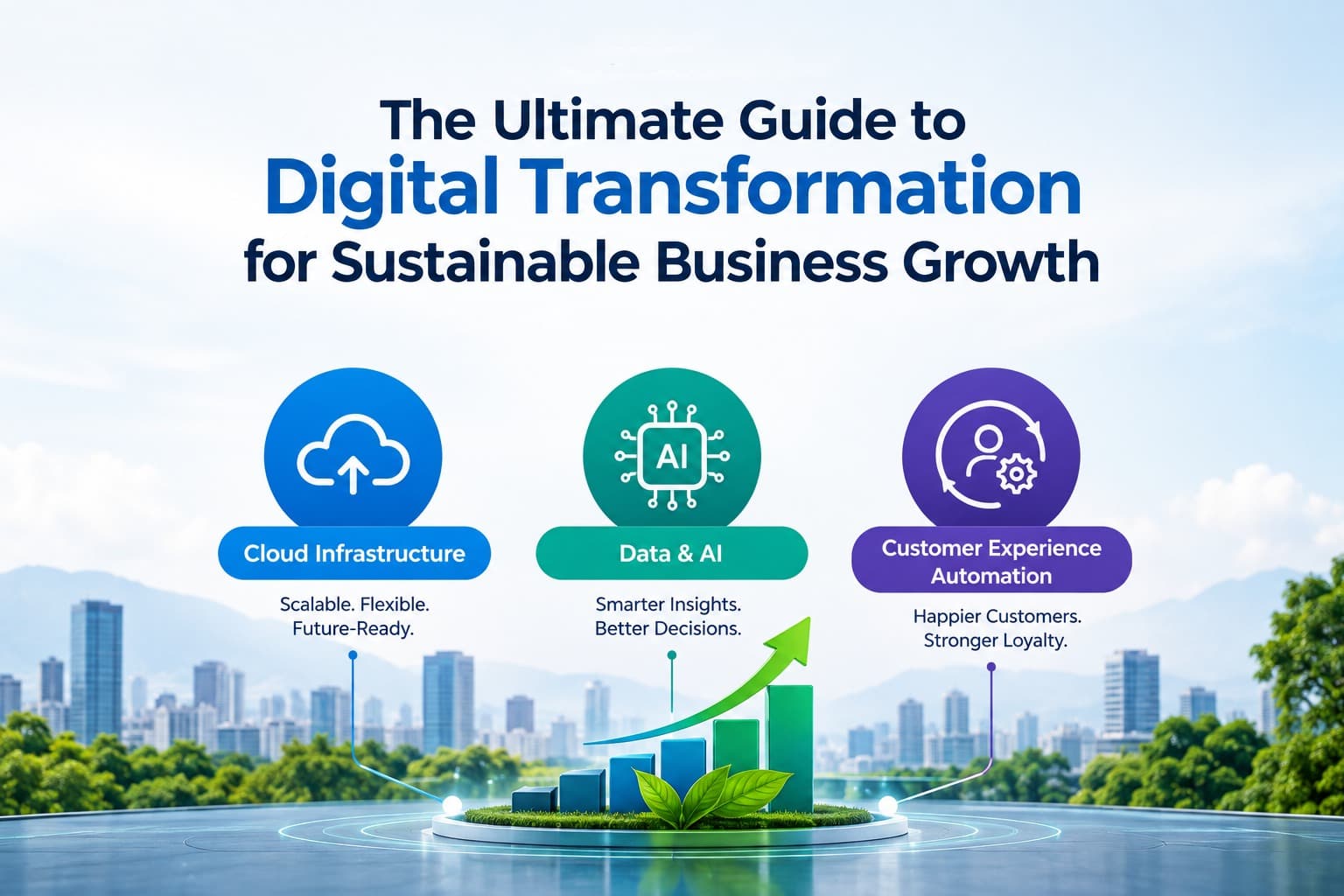
Digital transformation is becoming a vital requirement for long-term company growth in today's fast-paced digital economy, not just a luxury for tech giants. Integrating modern digital technologies into every facet of an organization fundamentally alters how companies operate, make strategic decisions, and deliver continuous value to their customers. Adopting a digital-first attitude enables your team to remain competitive, adaptable, and ready for upcoming market changes, regardless of whether you are in charge of a high-growth startup or upgrading a heritage firm. Table of Contents 1. What Is Digital Transformation and Why Does It Matter? 2. Core Pillars Driving Digital Business Growth 3. Key Strategies for Successful Implementation 4. Frequently Asked Questions (FAQ) 5. Conclusion 1. What Is Digital Transformation and Why Does It Matter? Moving Beyond IT Upgrades to Cultural Evolution At its core, digital transformation represents far more than just updating legacy software or purchasing modern hardware. It demands a foundational cultural shift that encourages organizations to challenge traditional workflows, experiment frequently, and become comfortable with iterative change. By replacing manual processes with automated cloud-based infrastructure, businesses eliminate operational bottlenecks, reduce overhead costs, and significantly accelerate their overall time-to-market. 2. Core Pillars Driving Digital Business Growth Scalable Cloud Infrastructure: Migrating critical data and operational workloads to cloud platforms enhances organizational agility, robust cybersecurity, and seamless collaboration across remote and hybrid teams while providing on-demand scaling. Data-Driven Decision Making & AI: Harnessing advanced predictive analytics and artificial intelligence allows leadership teams to uncover actionable insights, eliminate guesswork, and accurately forecast market trends to make proactive business decisions. Customer Experience Automation: Deploying integrated CRM platforms and omnichannel automated workflows streamlines customer touchpoints, ensures personalized client interactions, and boosts customer retention rates. Image Suggestion: A sleek modern infographic illustrating an interconnected digital ecosystem—featuring cloud servers, AI analytics dashboards, and mobile devices converging toward an upward growth trendline. Ready to accelerate your company’s growth journey? Connect with our expert digital strategy team today to schedule a customized consultation and build a digital transformation roadmap tailored specifically to your organizational goals! Frequently Asked Questions (FAQ) Q: How long does a full digital transformation initiative take? Digital transformation is best viewed as an ongoing cultural evolution rather than a one-time project with a fixed endpoint. While foundational technical milestones—such as migrating core databases to the cloud or deploying a new CRM platform—typically take between 3 to 12 months, true transformation requires continuous iteration and adaptation to emerging technologies over the lifetime of the business. Q: Can small and medium-sized businesses (SMBs) benefit from digital transformation? Absolutely. In fact, small and medium-sized businesses often execute digital strategies much faster than large enterprises because they possess fewer legacy constraints and bureaucratic layers. By starting with high-impact, targeted modernizations—such as adopting cloud accounting software or automated marketing workflows—SMBs can achieve immediate productivity gains and compete effectively with larger market incumbents. Conclusion In an increasingly competitive global marketplace, digital transformation stands out as a proven pathway toward business growth, resilience, and operational efficiency. By systematically aligning modern technological solutions with clear strategic business objectives, fostering a company culture that welcomes continuous innovation, and placing customer needs at the center of your digital strategy, your organization will be exceptionally well-equipped to thrive in the digital era.

Read Article

July 2026

Meta to Install PoP Server in Kathmandu: Faster Facebook, Instagram, and WhatsApp for Nepal
Announcements
5 min read

Meta to Install PoP Server in Kathmandu: Faster Facebook, Instagram, and WhatsApp for Nepal

Kathmandu: In a major boost to Nepal’s digital infrastructure, Meta (the parent company of Facebook, Instagram, WhatsApp, and Messenger) has announced plans to install a Point of Presence (PoP) server in Kathmandu. Expected to be fully operational by the end of 2026, this move will drastically improve social media speeds and optimize internet bandwidth across the country. What is a Meta PoP Server? A Point of Presence (PoP) server acts as a local digital outpost. Currently, when a user in Nepal watches a Facebook Reel or opens an Instagram video, the data travels from international servers located abroad. With a local PoP server stationed right in Kathmandu, Meta will cache (store) popular content locally. Key Highlights of the Project Location: The server will be hosted at the state-of-the-art Data World data center in Matatirth, Kathmandu. Timeline: The infrastructure setup is scheduled for completion by late 2026. Local Partnership: Meta is collaborating with local infrastructure providers to ensure high availability and seamless integration. How Will This Benefit Nepali Internet Users? 1. Blazing Fast Loading Speeds Users will experience near-zero latency. Facebook videos, Instagram Reels, and WhatsApp media files will load almost instantly without frustrating buffering screens. 2. Cheaper Internet for Service Providers Meta traffic consumes a massive chunk of Nepal's international internet bandwidth. By serving this data locally, Internet Service Providers (ISPs) will save huge amounts of international bandwidth costs. This could potentially lead to more affordable internet packages for consumers. 3. Better Network Reliability Localizing heavy social media traffic reduces network congestion. Even during peak evening hours, your overall internet connection will remain stable and smooth.

Read Article

May 2026

What's new in Tailwind CSS v4.2 and v4.3
General
5 min read

What's new in Tailwind CSS v4.2 and v4.3

Two releases quietly shipped for Tailwind CSS recently, and together they add a solid set of new utilities worth knowing about. What came in v4.2 Four new color palettes Tailwind now ships with mauve, olive, mist, and taupe out of the box. These fill a gap that’s been annoying for a while — neutral-adjacent colors that aren’t quite gray but aren’t quite anything else either. Webpack plugin with real build speed improvements There’s now a dedicated webpack plugin that reportedly delivers 2x+ build speed improvements over the previous approach. If you’re on a webpack-based setup, this is probably the most immediately useful thing in v4.2. Logical property utilities More logical property utilities landed for block and inline spacing and sizing. These matter if you’re building for right-to-left languages or just want layout that adapts to writing direction without extra CSS. Font feature control A new font-features-* utility gives you access to OpenType font features — things like ligatures, small caps, and tabular numbers — directly from your HTML. What came in v4.3 First-party scrollbar styling This one’s been a long time coming. Tailwind now has built-in utilities for scrollbar-width, scrollbar-color, and scrollbar-gutter. Previously you either reached for a plugin or wrote custom CSS. The new utilities map directly to the CSS scrollbar properties, so you get consistent cross-browser scrollbar control without the workarounds. @container-size for container queries A new @container-size utility lets you read container dimensions inside container queries, specifically targeting block-size. This makes it easier to write styles that respond to a container’s height rather than just its width. zoom-* and tab-* utilities Two smaller additions: zoom-* maps to the CSS zoom property, and tab-* controls tab-size for controlling how tab characters render in preformatted text. Stacked and compound variants in @variant The @variant directive now accepts stacked and compound variants. This means you can express more complex variant combinations directly in CSS rather than only in your HTML class strings. Default values in functional utilities Functional utility definitions now support --default(…) syntax, which lets you specify fallback values inside custom utility definitions. Useful if you’re building design system utilities on top of Tailwind. Upgrade tooling The v4.3 release also includes fixes to the upgrade tool’s canonicalizer, which should make migrating existing projects a bit less painful.

Read Article

November 2025

React Native 0.82: A Major Leap in Native App Development with New Architectural Enhancements
Business
7 min

React Native 0.82: A Major Leap in Native App Development with New Architectural Enhancements

React Native 0.82 marks a significant evolution in the framework’s architecture, setting a promising direction for native application development. The defining change is the complete removal of the legacy bridge system, replaced by the JavaScript Interface (JSI). This transformation allows for direct communication between JavaScript and native code, effectively removing the overhead of JSON serialization. This release introduces several key enhancements. One of the standout features is the integration of the Fabric renderer, which ensures smoother UI updates. The implementation of Turbo Modules makes native functionalities more efficient by enabling lazy-loading. Furthermore, the inclusion of the Hermes V1 engine boosts performance with bundle loads up to 9% faster than previous versions. A major aspect of this update is its support for the DOM node API, aligning React Native more closely with web standards and facilitating easier cross-platform development. These enhancements collectively contribute to improved startup times, reduced memory usage, and more consistent performance, making React Native 0.82 a pivotal update for developers. In addition to these changes in React Native, the tech landscape continues to evolve. For instance, Kong has introduced KAi, an AI assistant that enhances the capabilities of its Konnect platform by automating various API tasks such as governance, debugging, and compliance scanning. Meanwhile, Harper has open-sourced its composable full-stack web application platform under the Apache 2.0 license, promising fast server response times by integrating the database, cache, and runtime into a single edge-native process. Overall, React Native 0.82 represents a major shift towards a more efficient and robust framework for developing native mobile applications, with potential implications for improving app performance and developer productivity.

Read Article